Introduction
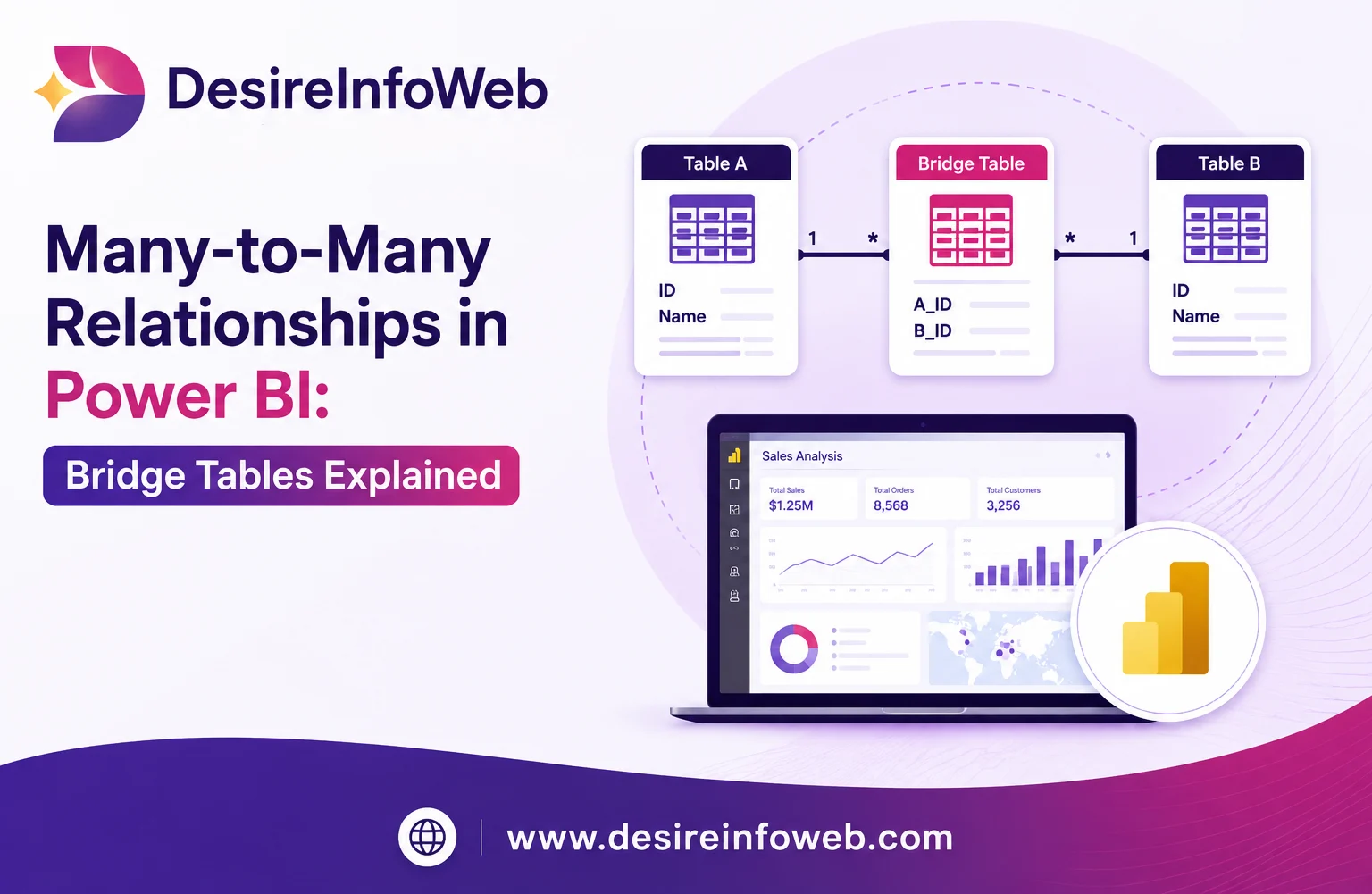
Relational databases handle one-to-many relationships easily: a customer has many orders, an author has many books. But a huge number of real-world relationships run in both directions at once a student takes many courses, and a course has many students. This is a many-to-many (M:N) relationship, and it cannot be stored directly in two tables. It needs a third table in between, commonly called a bridge table, junction table, or associative entity.
This guide explains exactly when Many to Many relationships in Power BI show up, why a direct foreign key can't model them, and how to build a clean bridge table walked through with two concrete examples: students enrolling in courses, and products belonging to categories.
What Is a Many-to-Many Relationship?
A many-to-many relationship exists when a single record in Table A can relate to multiple records in Table B, and a single record in Table B can relate to multiple records in Table A. A few everyday examples:
- Students ↔ Courses a student takes several courses; a course has several students.
- Products ↔ Categories a product can sit in multiple categories; a category holds many products.
- Actors ↔ Movies an actor appears in many movies; a movie has many actors.
- Authors ↔ Books books can have co-authors; an author can write several books.
- Tags ↔ Blog Posts a post can carry several tags; a tag applies to many posts.
Why You Can't Model It With a Simple Foreign Key
In a one-to-many relationship, you place a foreign key on the "many" side e.g., orders.customer_id points back to customers.id. That works because each order belongs to exactly one customer.
A many-to-many relationship breaks this pattern. If you tried to add course_id directly to the students table, a student enrolled in three courses would need three values in one column which violates first normal form (1NF) and makes filtering, counting, and joining unreliable.
The Solution: Bridge (Junction) Tables
A bridge table sits between the two entities and stores one row per relationship. Instead of two tables, you use three:
- The first entity table (e.g., students).
- The second entity table (e.g., courses).
- A bridge table holding foreign keys to both, plus any attributes that describe the relationship itself (e.g., enrollment_date, grade).
Each entity table now has a clean one-to-many relationship with the bridge table the pattern relational databases handle natively and the many-to-many logic is fully captured through the bridge.
Detailed Example 1: Students and Courses
The Business Rule
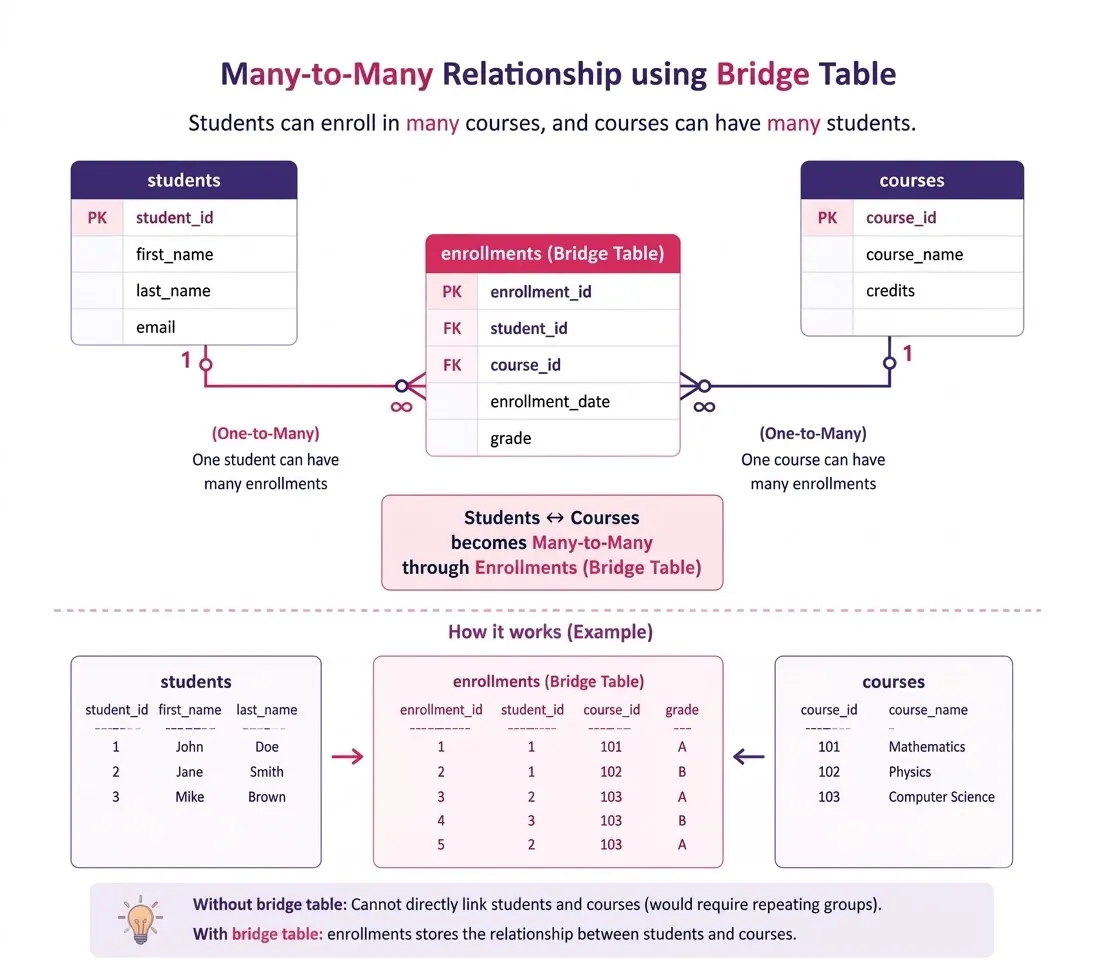
A student can enroll in many courses. A course can have many enrolled students. We also want to track the enrollment date and the grade a student earned information that belongs to the relationship itself, not to either the student or the course alone.
The Schema
Students
Column | Type | Notes |
student_id | INT, PK | Uniquely identifies each student |
first_name | VARCHAR(50) |
|
last_name | VARCHAR(50) |
|
VARCHAR(120) | Unique |
Courses
Column | Type | Notes |
course_id | INT, PK | Uniquely identifies each course |
course_name | VARCHAR(100) |
|
credits | INT |
|
Enrollments (the bridge table)
Column | Type | Notes |
enrollment_id | INT, PK | Surrogate key for the row itself |
student_id | INT, FK → students | Which student |
course_id | INT, FK → courses | Which course |
enrollment_date | DATE | Attribute of the relationship |
grade | CHAR(2) | Attribute of the relationship, nullable until graded |
Detailed Example 2: Products and Categories
The Business Rule
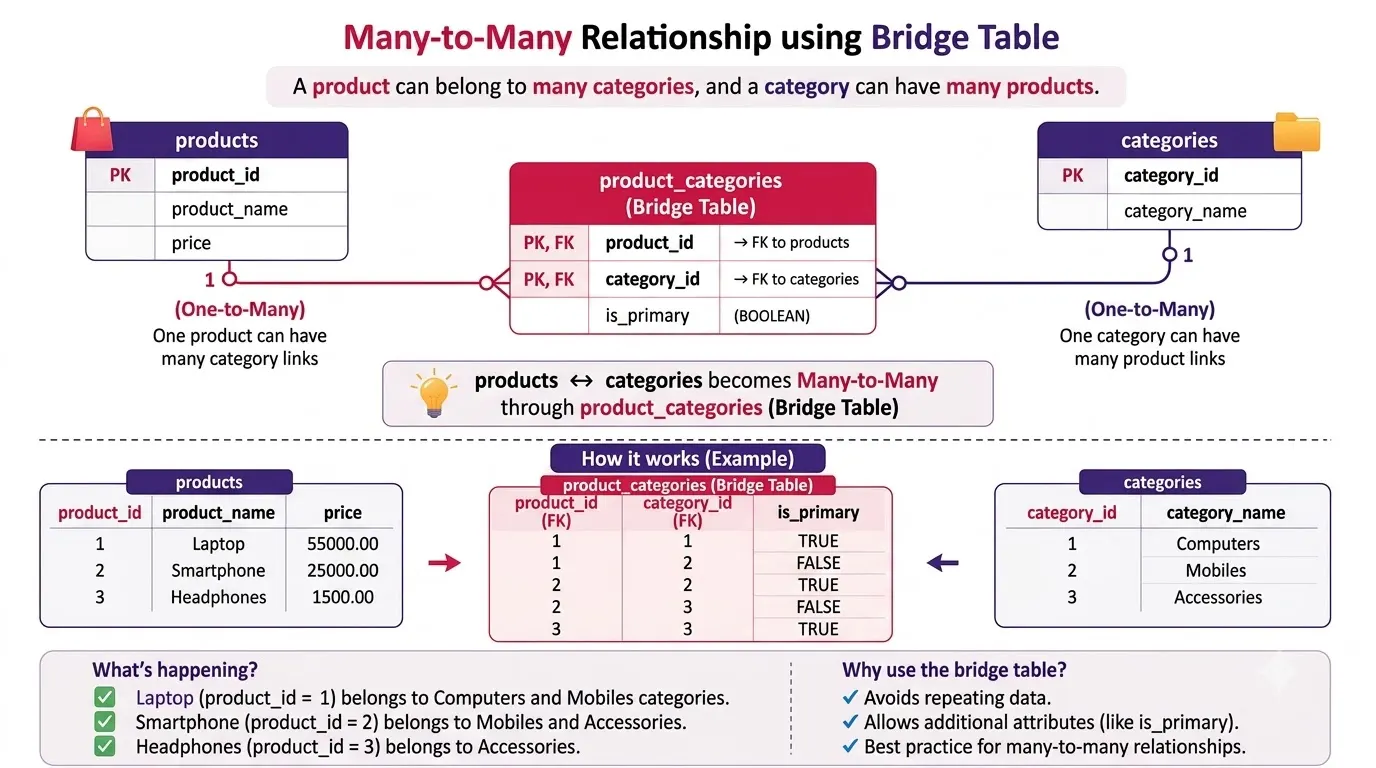
An e-commerce catalog often needs a product to appear in more than one category a running shoe might sit under both "Footwear" and "Sports & Outdoors." Each category, in turn, lists many products. This is the same many-to-many shape as students and courses, just applied to a storefront.
The Schema
Products
Column | Type | Notes |
product_id | INT, PK |
|
product_name | VARCHAR(150) |
|
price | DECIMAL(10,2) |
|
Categories
Column | Type | Notes |
category_id | INT, PK |
|
category_name | VARCHAR(80) |
|
Product_categories (the bridge table)
Column | Type | Notes |
product_id | INT, FK → products | Composite PK, part 1 |
category_id | INT, FK → categories | Composite PK, part 2 |
is_primary | BOOLEAN | Marks the main category for display, optional attribute |
Here the bridge table uses a composite primary key (product_id, category_id) instead of a separate surrogate key a perfectly valid alternative when the relationship itself needs no unique identity beyond the pairing, and it doubles as a natural uniqueness constraint.
Surrogate Key vs. Composite Key in a Bridge Table
The two examples above deliberately use different primary-key strategies, because both are common in practice:
Conclusion
Many-to-many relationships are everywhere students and courses, products and categories, tags and posts, actors and movies. Trying to force them into two tables leads to repeated data, broken constraints, and painful queries. A bridge table resolves the problem cleanly it turns one messy many-to-many relationship into two simple, well-understood one-to-many relationships, while giving you a natural home for any data that describes the relationship itself.
Frequently Asked Questions
Is a bridge table the same as a junction table?
Yes bridge table, junction table, associative entity, and linking table all describe the same pattern: a table created to resolve a many-to-many relationship.
Can a bridge table have its own primary key?
It can use either a surrogate key (a new auto-incrementing ID) or a composite key made from the two foreign keys. Choose a surrogate key when the relationship has its own attributes or needs to be referenced elsewhere; choose a composite key when the relationship is simple.
Can a bridge table connect more than two tables?
- Composite primary key (product_id, category_id) simplest when the relationship carries little or no data of its own, and you never need to reference a single "row" of the relationship from elsewhere.
- Surrogate key (enrollment_id) plus a UNIQUE constraint on the pair better when the relationship has rich attributes (grade, enrollment_date) or when other tables need to point back to one specific relationship row, e.g., a payments table referencing a specific enrollment_id
Yes. When a relationship naturally involves three or more entities for example, a student, a course, and a semester the same pattern extends to three foreign keys in one bridge table, sometimes called a ternary relationship.
Does adding a bridge table hurt performance?
Not if it's indexed properly. The join cost of a well-indexed bridge table is small compared to the data-integrity problems caused by trying to avoid it.