As organizations increasingly adopt Microsoft Copilot to improve productivity, automate workflows, and enhance employee experiences, governance and security have become critical considerations. While Copilot can unlock significant business value, its effectiveness depends on how well organizations manage data access, permissions, compliance requirements, and AI usage policies.
Without proper governance, employees may gain unintended access to sensitive information, create compliance risks, or use AI-generated content without appropriate oversight. This makes it essential for businesses to establish a strong governance framework before scaling Microsoft Copilot across the organization.
In this guide we'll explore Copilot governance and security best practices, helping organizations maximize the benefits of AI while maintaining control, compliance, and data protection.
Why Governance Matters for Microsoft Copilot
Microsoft Copilot operates within your Microsoft 365 environment and uses organizational data from services such as:
- SharePoint Online
- Microsoft Teams
- OneDrive
- Outlook
- Microsoft Graph
- Exchange Online
Because Copilot can access information users already have permission to view, governance becomes a foundational requirement rather than an optional consideration.
A well-defined governance strategy helps organizations:
- Protect sensitive business information
- Maintain regulatory compliance
- Prevent unauthorized access
- Improve AI adoption confidence
- Reduce operational risk
- Support responsible AI usage
Understand How Copilot Accesses Organizational Data
One of the most important principles to understand is that Microsoft Copilot respects existing Microsoft 365 permissions. Copilot does not create new permissions. Instead, it retrieves information users are already authorized to access.
Before deploying Copilot, organizations should review:
- SharePoint permissions
- Microsoft Teams access controls
- Microsoft 365 group memberships
- OneDrive sharing settings
- External sharing policies
If permissions are poorly managed today, Copilot may expose information that employees can technically access but should not easily discover.
Conduct a Data Access and Permission Audit
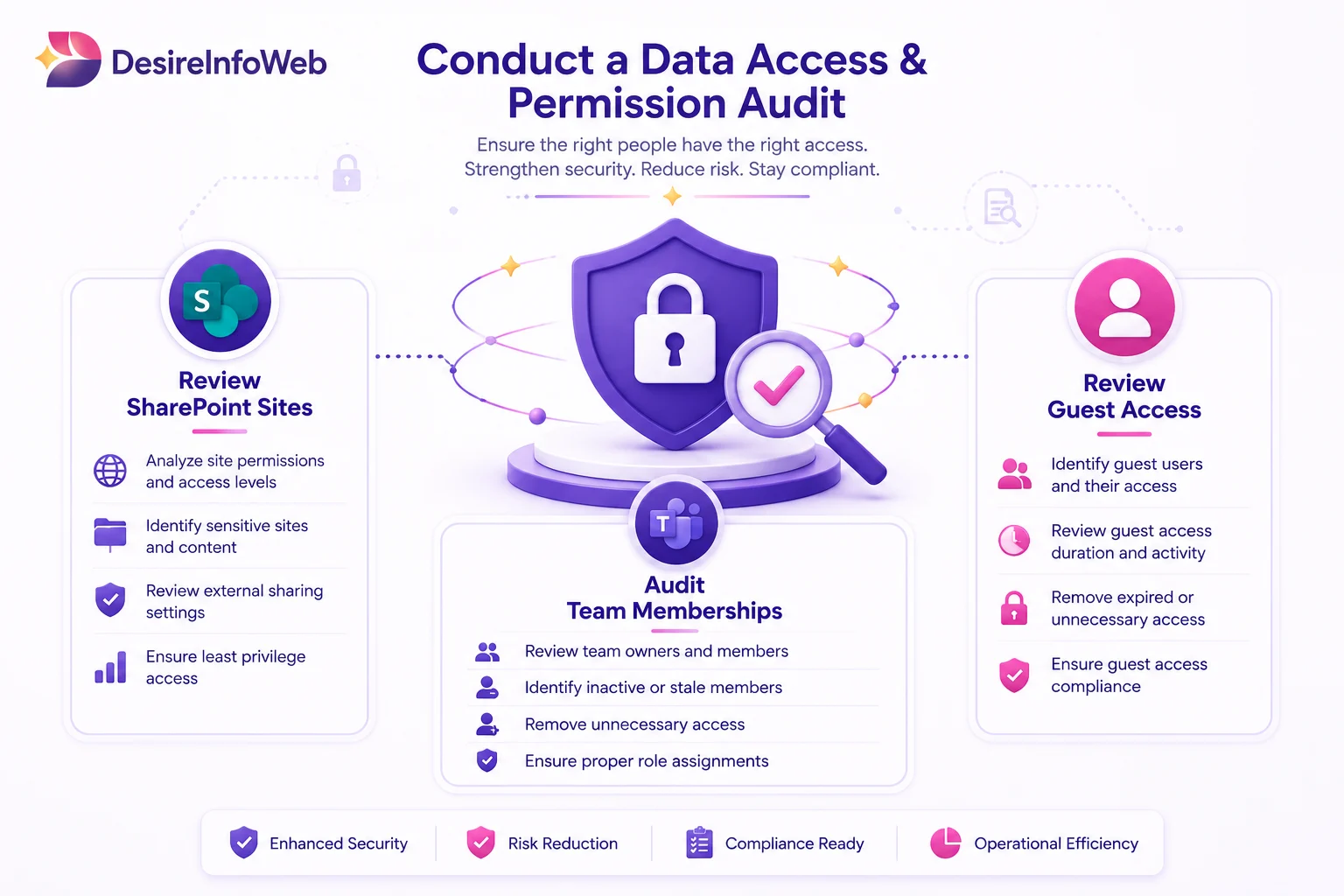
Many organizations have accumulated years of content across SharePoint, Teams, and OneDrive without regularly reviewing permissions.
Before implementing Copilot:
Review SharePoint Sites
Identify:
- Over-permissioned sites
- Legacy document libraries
- Publicly accessible content
- Unused collaboration spaces
Audit Team Memberships
Ensure users only have access to information necessary for their roles.
Review Guest Access
Evaluate external user permissions and remove unnecessary access.
Regular audits help minimize the risk of exposing sensitive information through AI-powered search and retrieval.
Establish a Copilot Governance Framework
Successful organizations define clear governance policies before widespread deployment.
A governance framework should address:
Data Ownership
Identify who is responsible for:
- Business content
- Security controls
- Compliance management
- AI oversight
Usage Policies
Create guidelines covering:
- Appropriate AI use
- Content validation requirements
- Sensitive data handling
- Responsible AI practices
Approval Processes
Establish procedures for:
- New Copilot deployments
- Agent development
- Integration requests
- Data access reviews
A structured framework ensures consistency across departments and business units.
Implement Role-Based Access Control (RBAC)
Role-Based Access Control is one of the most effective ways to secure Copilot environments.
Organizations should:
- Assign permissions based on job responsibilities
- Limit access to sensitive business information
- Separate administrative roles
- Apply least-privilege principles
This approach reduces unnecessary exposure while maintaining productivity.
Protect Sensitive and Confidential Data
Not all organizational content should be available through AI-powered experiences.
Use Microsoft Purview and data protection tools to classify and protect:
- Financial records
- Legal documents
- HR information
- Intellectual property
- Customer data
- Confidential business plans
Data classification enables organizations to apply appropriate security controls and access restrictions.
Strengthen Data Loss Prevention (DLP) Policies
Data Loss Prevention policies help prevent accidental exposure of sensitive information.
Organizations should configure DLP rules to monitor and protect:
- Personally identifiable information (PII)
- Financial information
- Regulatory data
- Confidential business content
DLP controls can help ensure Copilot interactions align with organizational security requirements.
Monitor AI Usage and User Activity
Visibility is essential for maintaining a secure Copilot environment.
- Organizations should regularly monitor
- User adoption patterns
- Search activities
- Data access trends
- Security incidents
- Compliance events
Monitoring helps identify unusual behavior and supports continuous governance improvements.
Establish Content Lifecycle Management
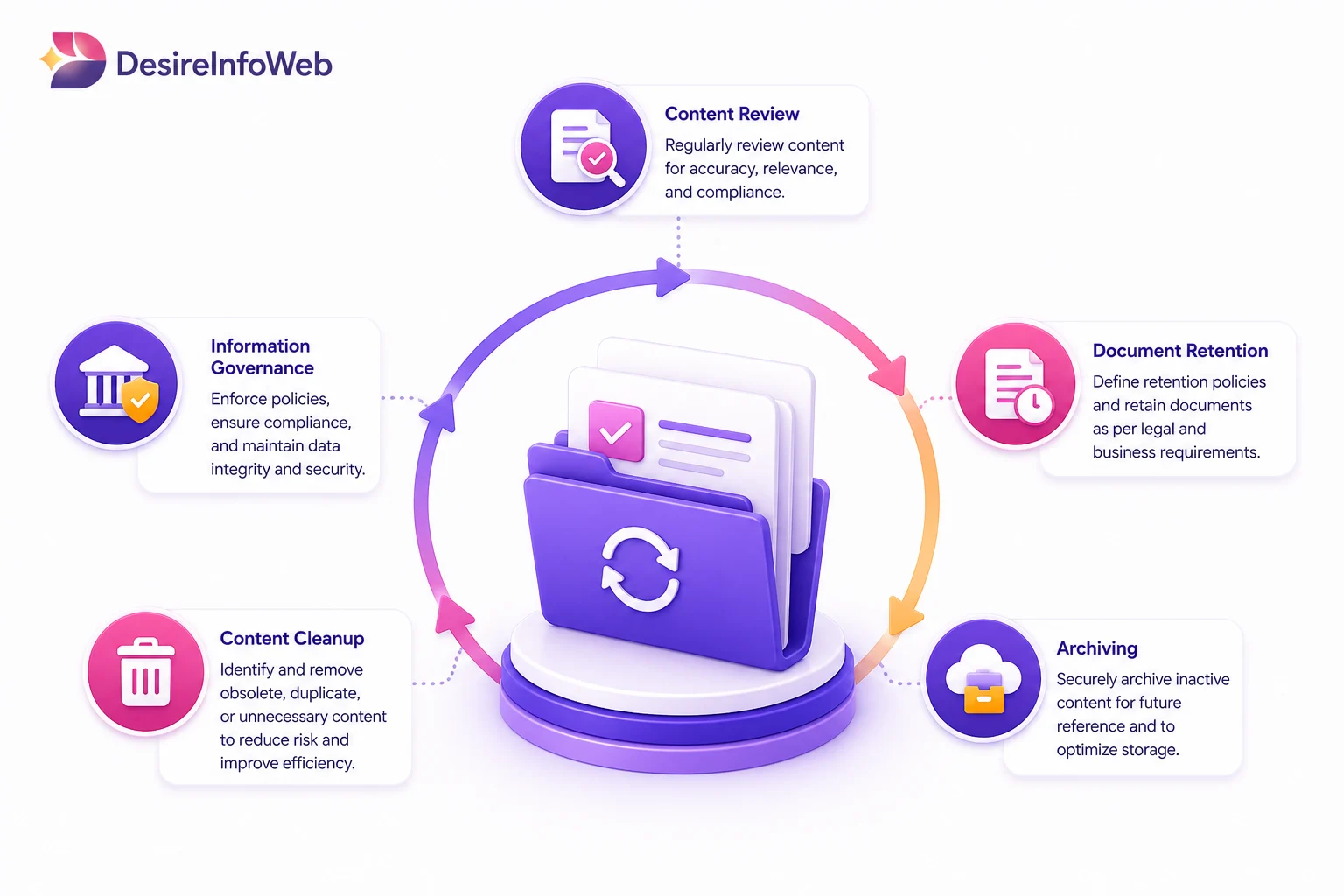
Outdated content can negatively impact Copilot responses and business decision-making. Organizations should implement policies for:
- Content review
- Document retention
- Archiving
- Content cleanup
- Information governance
Maintaining high-quality content improves the relevance and accuracy of AI-generated outputs.
Train Employees on Responsible AI Usage
Technology alone cannot guarantee secure AI adoption. Employees should understand:
- What Copilot can and cannot do
- How to verify AI-generated information
- Data handling responsibilities
- Compliance obligations
- Security best practices
User education plays a critical role in reducing risk and improving adoption outcomes.
Create an AI Center of Excellence
Many enterprises establish a dedicated team responsible for AI governance. An AI Center of Excellence can oversee:
- Governance policies
- Security standards
- Adoption strategies
- Training initiatives
- Compliance monitoring
- Continuous improvement efforts
This centralized approach helps organizations scale AI responsibly.
Secure Custom Copilot Agents and Extensions
Organizations developing custom Copilot agents should implement additional controls.
Best practices include:
- Reviewing data sources
- Limiting API permissions
- Validating business workflows
- Conducting security testing
- Monitoring agent performance
Custom solutions should follow the same governance standards as enterprise applications.
Align Copilot Governance with Compliance Requirements
Organizations operating in regulated industries must ensure Copilot deployments align with applicable standards.
Examples include:
- GDPR
- HIPAA
- ISO 27001
- SOC 2
- Financial regulations
- Industry-specific compliance frameworks
Governance policies should be reviewed regularly to address evolving regulatory requirements.
Common Governance Mistakes to Avoid
Many organizations encounter challenges during Copilot implementation due to avoidable governance gaps.
Common mistakes include:
- Skipping permission reviews
- Ignoring content cleanup
- Allowing excessive access rights
- Failing to train users
- Deploying without governance policies
- Neglecting compliance requirements
Addressing these issues early helps reduce long-term security and operational risks.
Building a Secure and Scalable Copilot Strategy
The most successful Copilot deployments combine productivity improvements with strong governance foundations.
Organizations should focus on:
- Data security
- Permission management
- Compliance readiness
- Responsible AI practices
- User education
- Continuous monitoring
This balanced approach allows businesses to maximize the value of AI while maintaining control over organizational information.
Final Thoughts
Microsoft Copilot has the potential to transform how employees work, collaborate, and access information. However, achieving long-term success requires more than simply enabling AI capabilities.
Organizations must establish governance frameworks, strengthen security controls, review permissions, and educate users to ensure responsible AI adoption.
By following Copilot governance and security best practices, businesses can confidently leverage AI to improve productivity, support innovation, and maintain compliance in an increasingly data-driven world.
A well-governed Copilot environment not only reduces risk but also creates the foundation for scalable, secure, and successful AI transformation initiatives.