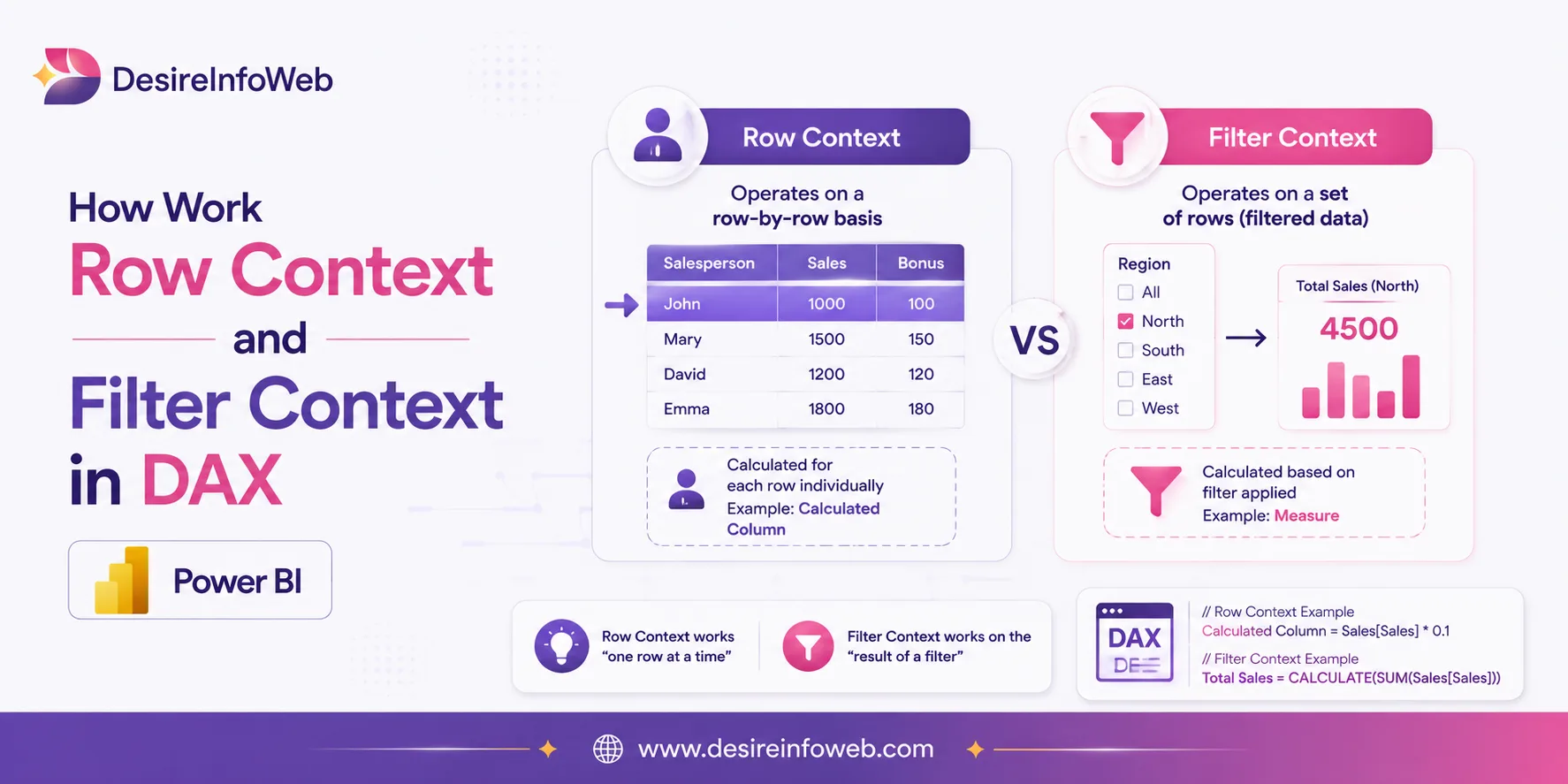
When working with DAX in Power BI, understanding how calculations evaluate is just as important as knowing the functions themselves. The difference between Row Context vs Filter Context in DAX determines which data a calculation can see and how the result changes based on rows, filters, and report selections. Once you understand these two contexts, concepts such as CALCULATE, calculated columns, and measures become much easier to understand and use correctly.
Our Example: Sales Table
Imagine this is the entire Sales table in your Power BI model. Nothing fancy just enough rows to see the mechanics clearly.
OrderID | Product | Region | Quantity | Unit Price |
1 | Laptop | North | 2 | ₹50,000 |
2 | Mouse | South | 5 | ₹800 |
3 | Laptop | South | 1 | ₹50,000 |
4 | Keyboard | North | 3 | ₹1,500 |
Part 1: Row Context
Row context refers to the current row that the calculation is being performed on. Row context exists automatically in calculated columns and is also created explicitly by iterator functions such as SUMX, FILTER, and RANKX. This means that calculations are performed row by row, and the result is based on the values in that specific row. For example, if you have a calculated column that calculates the total sales for each product, the calculation is performed individually for each row of the product table.
Row context is also used when a class of functions, known as iterator functions, are used. Iterator functions provide us with flexibility to create sophisticated summarizations.

DAX walks down the table row by row. On row 1, it knows without you telling it that “Sales[Quantity]” means “the Quantity of THIS row,” because Excel-style row-by-row calculation is exactly what row context is. Here is the result:
OrderID | Product | Quantity | Unit Price | Line Total (row context) |
1 | Laptop | 2 | ₹50,000 | ₹1,00,000 |
2 | Mouse | 5 | ₹800 | ₹4,000 |
3 | Laptop | 1 | ₹50,000 | ₹50,000 |
4 | Keyboard | 3 | ₹1,500 | ₹4,500 |
What just happened, in plain terms
- DAX had a “current row” pointer, exactly like a cursor moving down the table.
- Sales[Quantity] and Sales[Unit Price] always meant “this row's value” nothing more.
- This is row context: one row, evaluated in isolation, with no awareness of the other three rows.
Part 2: Filter Context
Filter context refers to the set of filters applied to a calculation before evaluation. It is influenced by slicers, filters, and relationships in the data model.

Drop this measure into a PivotTable or a Power BI matrix with Region on the rows. Something very different happens DAX no longer walks row by row through the whole table. Instead, for every cell of the visual, Power BI first shrinks the table down to only the rows allowed by that cell, and only then runs the calculation:
Region | Rows Included by Filter Context | Total Sales |
North | OrderID 1 (Laptop) + OrderID 4 (Keyboard) | ₹1,04,500 |
South | OrderID 2 (Mouse) + OrderID 3 (Laptop) | ₹54,000 |
Grand Total | All 4 rows (no filter applied) | ₹1,58,500 |
Row Context vs Filter Context: Side-by-Side
Row Context | Filter Context | |
Created by | Calculated columns, iterators (SUMX, FILTER, RANKX...) | Report visuals, slicers, CALCULATE, relationships |
Scope of awareness | One single row at a time | A filtered subset of rows across the model |
Analogy | A cursor moving down an Excel row | A WHERE clause wrapped around your table |
Frequently Asked Questions
Is filter context the same as a WHERE clause in SQL?
Yes. Filter context is the set of restrictions from slicers, visual rows/columns, and CALCULATE applied to the model before a DAX expression is evaluated. It behaves like an implicit WHERE clause that travels with the calculation.
Do calculated columns ever have filter context?
Calculated columns are computed at data-refresh time and naturally operate in row context, although functions such as CALCULATE can introduce filter context. They can still reference filter context indirectly (via CALCULATE), but they never respond to slicers in a report the way a measure does.
Why does SUMX use both contexts?
SUMX first receives a filter context (which rows of the table are visible), then iterates those rows one by one, creating a row context for each. That's why iterators are often the bridge that connects the two ideas.